
Setting up the COBI.wms Emulator
-
Requirements
- Android Studio
- COBI.wms APK
Step-by-step guide for installing the Android Studio Emulator, setting up a virtual device and setting up the COBI.wms APK.
Step 1
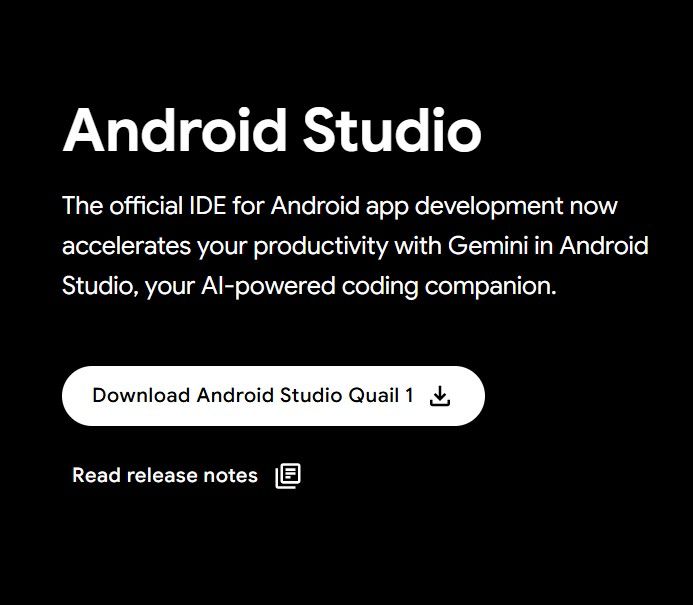
Visit the website Android Studio
Step 2
Download the latest version of Android Studio.

Step 3
Install the downloaded .exe file.

Step 4
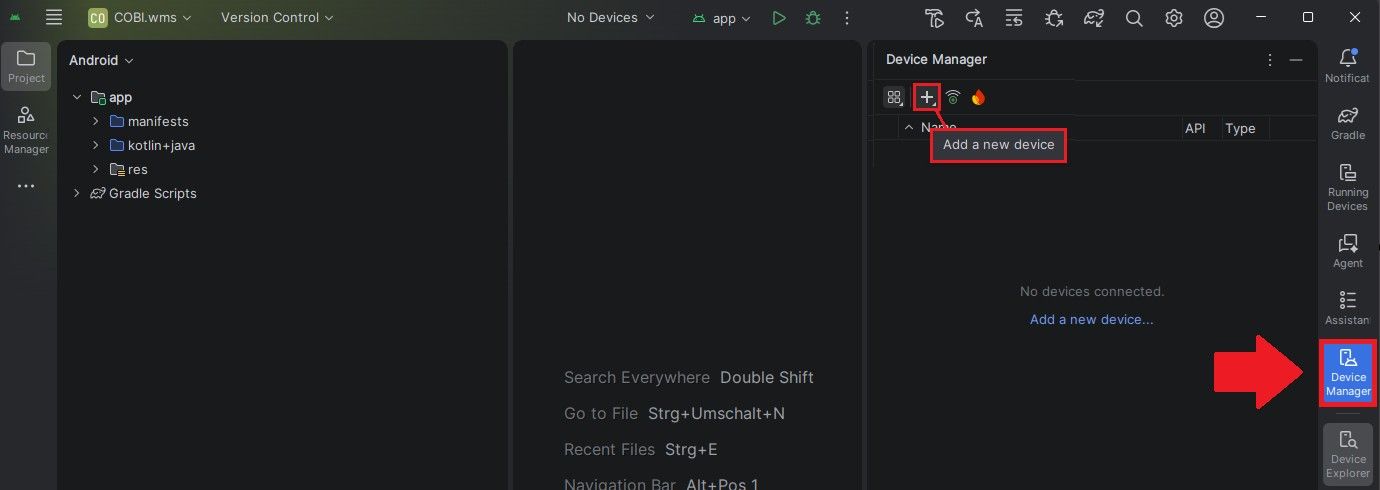
Open Android Studio and navigate to the "Device Manager" tab. Click the plus icon and select "Create Virtual Device".
Step 5
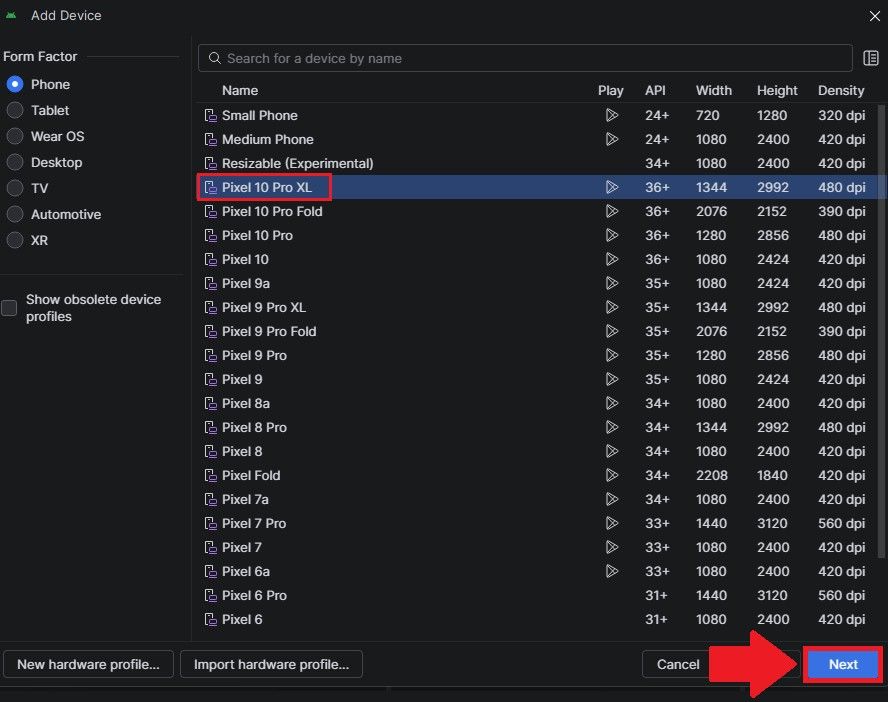
Select a smartphone model of your choice and click "Next".
Step 6
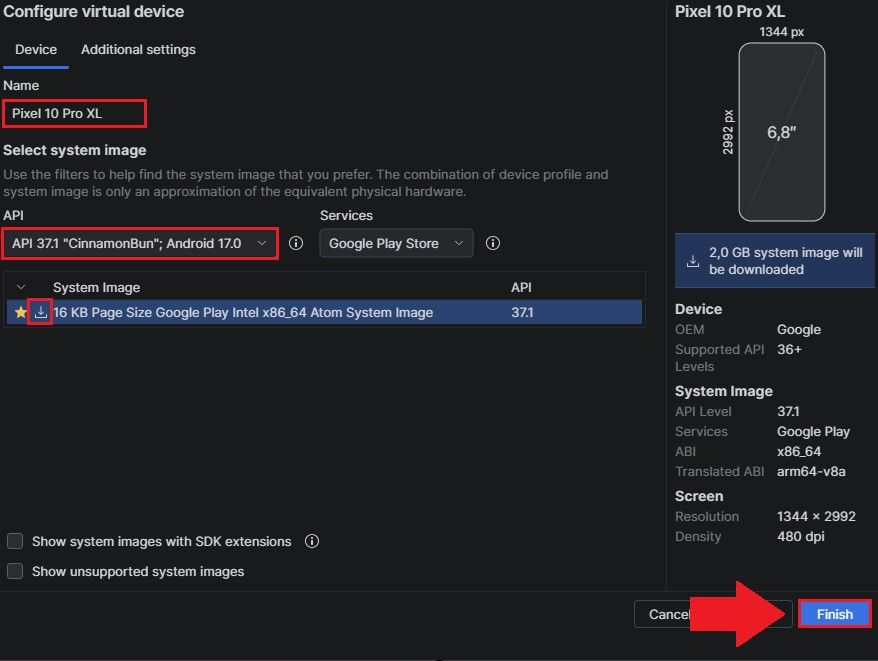
Select an operating system (we recommend Android 8.1 or higher).
Step 7
Name the virtual device, check all settings, and then click "Finish".
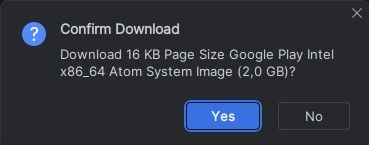
Step 8
Start the virtual device.
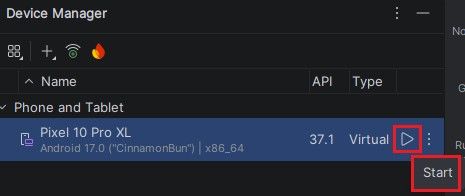
Step 9
Note that the first start may take a little longer.

Step 10
Drag the COBI.wms APK file into the virtual device to automatically install the app.
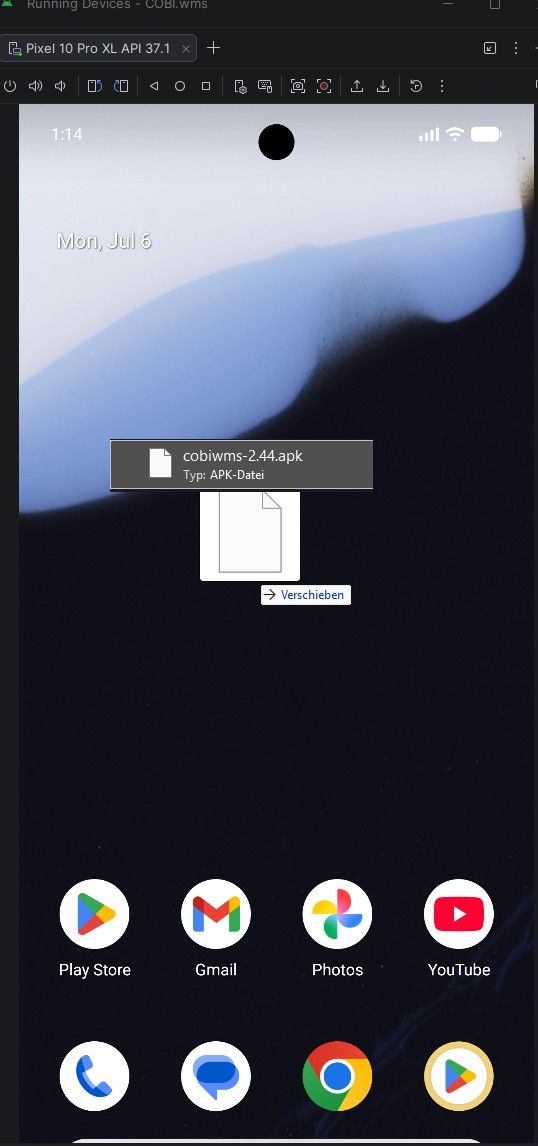
Step 11
Configure COBI.wms with the desired database configuration (On-Premise or Cloud). The diagram shows the On-Premise version.
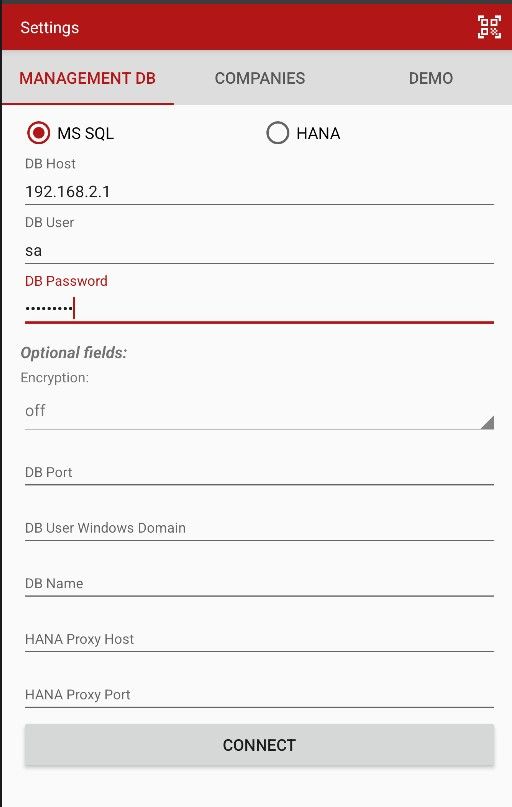
Step 12
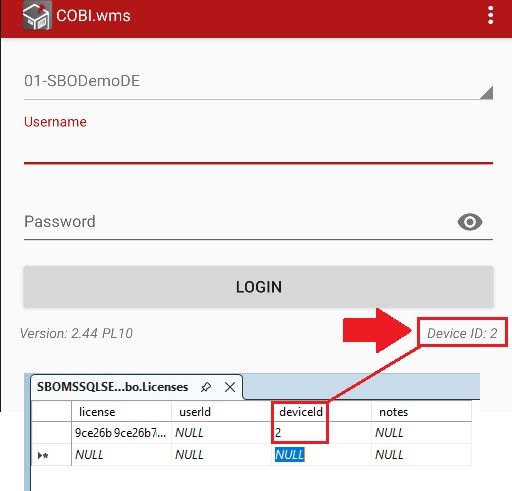
The device ID must now be stored in the database with the license key.

Hey! Du scheinst an dieser Unterhaltung interessiert zu sein, hast aber noch kein Konto.
Hast du es satt, bei jedem Besuch durch die gleichen Beiträge zu scrollen? Wenn du dich für ein Konto anmeldest, kommst du immer genau dorthin zurück, wo du zuvor warst, und kannst dich über neue Antworten benachrichtigen lassen (entweder per E-Mail oder Push-Benachrichtigung). Du kannst auch Lesezeichen speichern und Beiträge positiv bewerten, um anderen Community-Mitgliedern deine Wertschätzung zu zeigen.
Mit deinem Input könnte dieser Beitrag noch besser werden 💗
Registrieren Anmelden